Deduce a form from another form (aggregated statistics)#
When you check "Deduced from another form" on a form, that form stops being something field users fill in themselves. Instead, IASO automatically generates its submissions by aggregating answers from a different form - computing a sum, average, count, min, or max per organization unit and period.
What it's for#
This is mainly used in Performance-Based Financing (PBF) programs. A typical case: a community satisfaction survey is filled in once per patient encountered (was the patient found? what score did they give?). For invoicing purposes, what's actually needed is the aggregate per organization unit and period - how many patients were found, what the average satisfaction score was, and so on.
Rather than re-encoding those totals by hand, or depending on DHIS2's own analytics/event-aggregation to compute them, IASO can generate a "statistics" submission directly from the underlying survey answers. That aggregate can then be used for invoicing within IASO (e.g. with Hesabu), or mapped onward into a DHIS2 dataset for further use.
Setting it up#
1. Create the survey form and the statistics form#
Upload both forms to IASO as usual:
- The survey form is the one field users actually fill in (e.g. one submission per patient).
- The statistics form holds the aggregated results. Flag it as "Deduced from another form" - this prevents field users from creating submissions of it manually in the mobile app, since it's meant to be generated, not filled in.
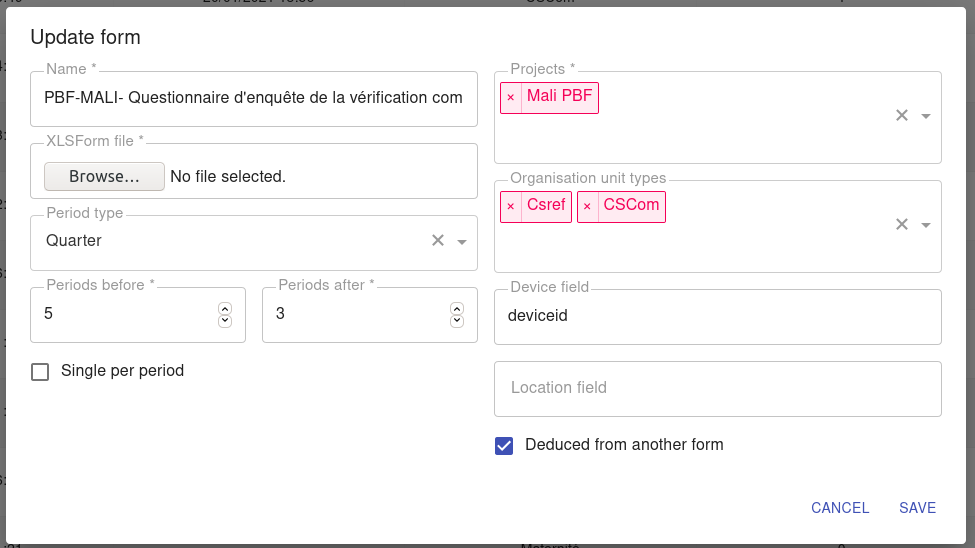
Tip: give both forms the same name prefix (e.g. "... - statistique") so they sit next to each other in form lists.
2. In Django admin, create a Mapping#
Go to /admin/iaso/mapping/ and add a new Mapping:
- Form: the statistics form (not the survey form)
- Mapping type:
Derived
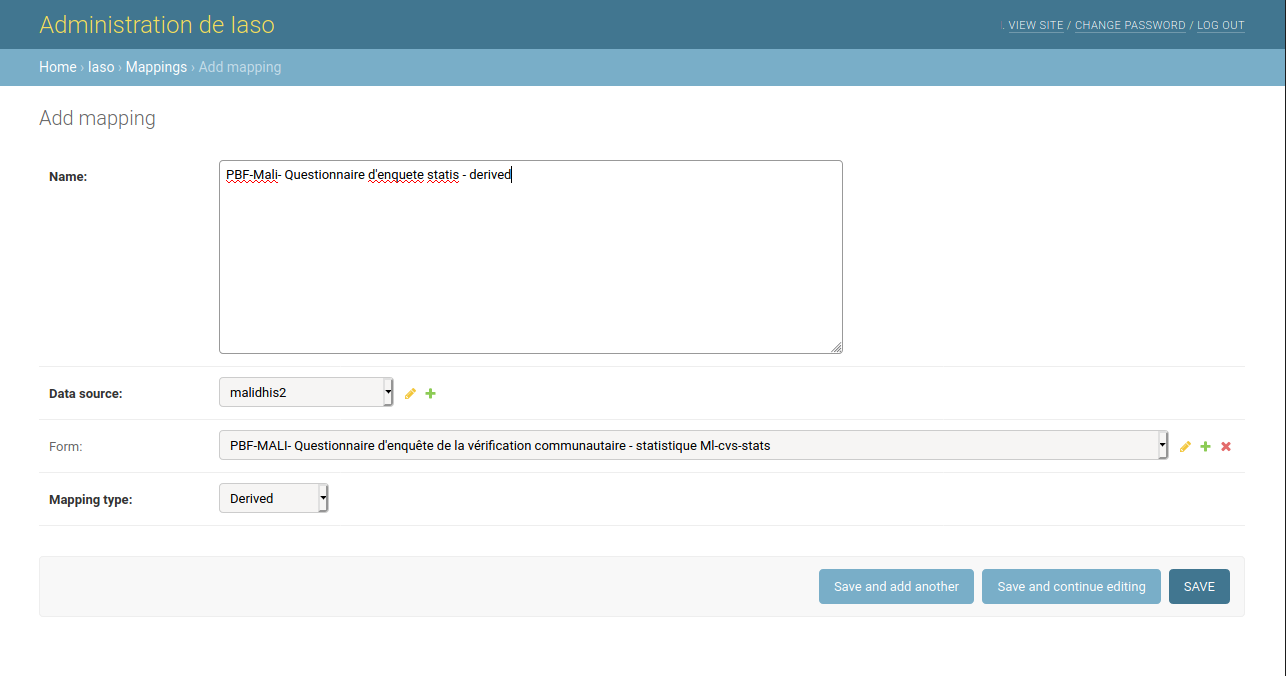
Be careful here: Django admin shows every project and form in the account. It's easy to accidentally link forms that belong to unrelated projects.
3. Create a Mapping version with the aggregation rules#
Still in Django admin, add a Mapping version for that mapping, pointing at a specific version of the statistics form, with a JSON payload describing what to aggregate:
{
  "formId": "MALI-enquete_satisfaction01",
  "aggregations": [
    {
      "id": "score_satisfaction_communautaire_average",
      "name": "Score de satisfaction communautaire",
      "defaultValue": 0,
      "questionName": "score_satisfaction_communautaire",
      "aggregationType": "avg"
    },
    {
      "id": "nombre_submission",
      "name": "Nombre de submission de la satisfaction",
      "defaultValue": 0,
      "questionName": "MALI-PBF-patient_existe",
      "aggregationType": "count"
    }
  ]
}
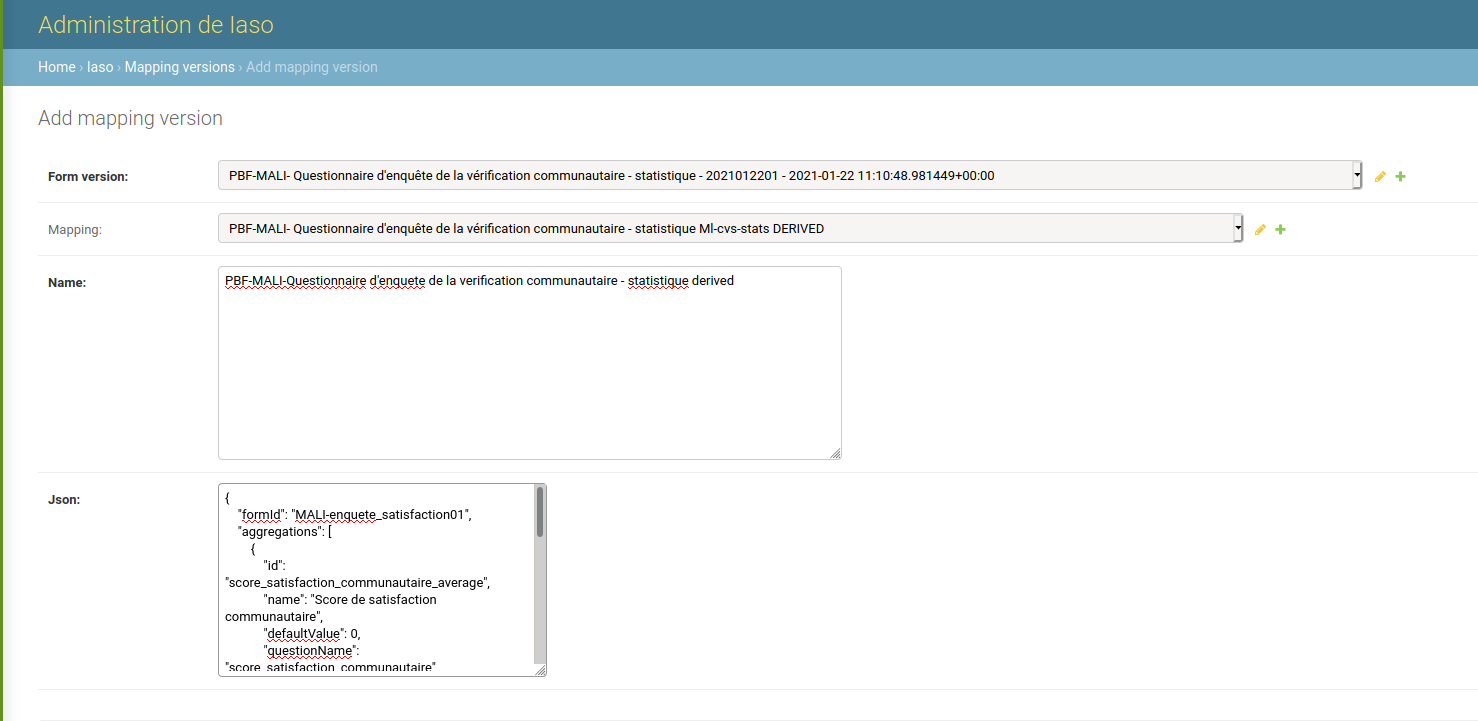
Each entry in aggregations means:
| Field | Meaning |
|---|---|
formId |
The ID of the survey form to read answers from |
id |
The question name in the statistics form where the result is written |
name |
The label shown for that question in the statistics form |
questionName |
The question name in the survey form to aggregate |
aggregationType |
One of sum, avg, count, max, min |
defaultValue |
Value used when there's nothing to aggregate |
Generating the derived instances#
Once the survey form has submissions, go to Forms > Completeness, find the survey form's row for the relevant period, and click the generate icon in the Action(s) column.

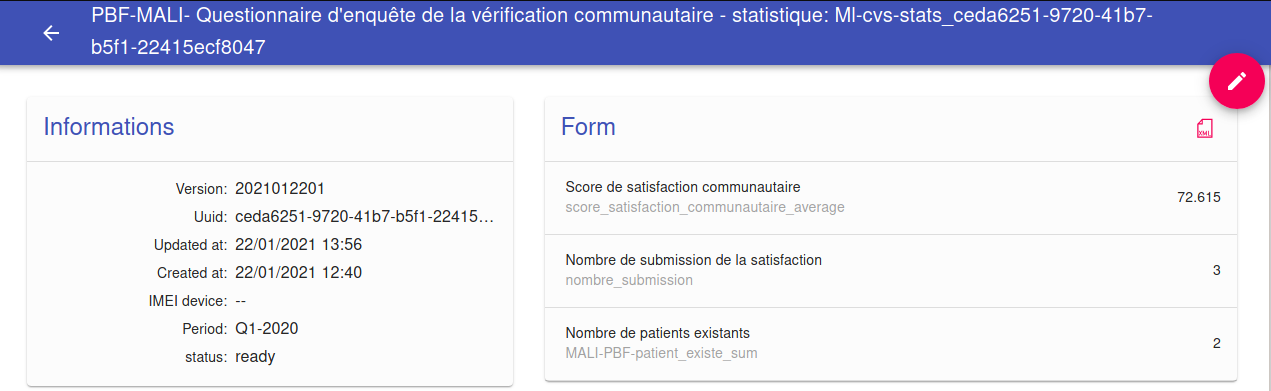
This creates one new submission of the statistics form per organization unit and period, populated with the computed values.
Things to watch out for#
- Skip logic changes what gets averaged. If a question (e.g. the satisfaction score) is only asked when a condition is true (e.g. "patient found"), an
avgonly averages the submissions where that question was actually answered - skipped answers aren't counted as zero.avg(15, 12, 12, 0, 0)andavg(15, 12, 12)are very different results; decide which behavior you actually want and adjust the survey'srelevantlogic accordingly. - Test with at least 3 submissions, including some where the "not found" branch is triggered, to make sure the aggregation behaves as expected before relying on it.
- Re-generate after changes. If survey submissions change after a statistics instance was already generated, you need to click the generate button again to refresh it.
Going further: sending the aggregate to DHIS2#
The statistics instance can itself be the source of a further DHIS2 mapping (an "Aggregate" mapping), pushing the computed values into a DHIS2 dataset. This is how aggregated PBF indicators end up feeding into DHIS2-based invoicing tools downstream.